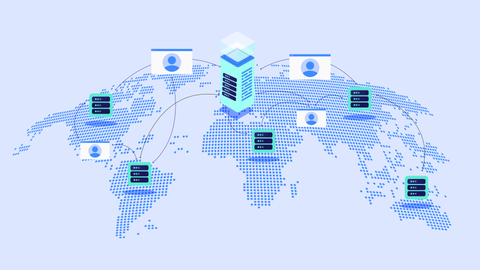
Such software has become essential across industries from tech startups and construction firms to healthcare providers and remote education platforms. Whether managing a short-term campaign or a long-term product development roadmap, these tools streamline communication and reduce complexity.

Why Project Management Software Matters Today
Increasingly Complex Work Environments
Work today is more interconnected, fast-paced, and collaborative than ever before. Teams are often spread across multiple locations and time zones. Managing tasks through spreadsheets or emails can result in confusion, duplication of work, or missed deadlines.
Project management software brings all project components into one centralized system, making it easier to coordinate efforts and monitor results.
Who Benefits?
Small businesses improving task coordination
Large enterprises managing multiple workflows
Freelancers and consultants tracking billable hours
Non-profits and educators planning campaigns or curricula
Agile teams managing sprints and backlogs
Problems It Solves
Poor task visibility
Inefficient communication
Missed deadlines and scope creep
Disorganized file sharing and documentation
Difficulty tracking productivity or resource use
With automation and real-time collaboration, project management software helps replace manual work and reactive management with proactive planning.
Recent Trends and Changes
Over the past year, the project management landscape has evolved significantly, driven by advancements in artificial intelligence, remote work needs, and user experience expectations.
AI-Powered Features
Many platforms now offer built-in AI tools that:
Predict project delays based on historical data
Suggest task prioritization
Generate project timelines automatically
Provide real-time workload balancing
Examples include ClickUp’s AI assistant (launched in late 2024) and Monday.com’s new predictive resource planner released in March 2025.
Integration and Interoperability
Tools are becoming more integrative with platforms like:
Slack
Google Workspace
Microsoft Teams
GitHub
Notion
This reduces switching between platforms and improves workflow automation.
Remote Work Optimization
Post-pandemic work structures continue to influence tool development. Features like:
Time zone-aware scheduling
Built-in video calling
Async task updates
have become standard on many platforms.
Legal and Policy Considerations
Although project management software is not heavily regulated, several national and international laws can impact how it is used especially around data privacy, intellectual property, and compliance.
Data Protection Laws
Depending on where the project team is located, the software must comply with laws like:
GDPR (EU): Requires transparent data processing, user consent, and secure data storage.
CCPA (California, USA): Gives consumers control over personal data, including project contributors.
DPDP Act (India, 2023): Requires businesses to handle personal data responsibly and report breaches.
Industry-Specific Compliance
Healthcare (HIPAA in the U.S.): Teams handling patient data must use software with HIPAA-compliant encryption.
Finance and Legal: Sensitive information must be protected using end-to-end encryption and audit trails.
Government Use Policies
Some government agencies now require the use of cloud solutions approved under national IT security frameworks. For example, U.S. federal projects often demand FedRAMP-compliant tools like Microsoft Project or Smartsheet.
Helpful Tools and Resources
Choosing the right software depends on your needs, industry, and team size. Here are some of the top tools, along with free resources and templates:
Leading Project Management Software in 2025
| Tool | Best For | Key Features |
|---|---|---|
| Asana | Cross-functional collaboration | Task lists, timelines, goals tracking |
| ClickUp | All-in-one workspaces | Docs, goals, time tracking, AI assistant |
| Trello | Visual task boards | Kanban boards, automation, Power-Ups |
| Monday.com | Custom workflows | Visual dashboards, CRM integration, AI tools |
| Notion | Content-driven planning | Docs + project boards, team wiki |
| Wrike | Enterprise task management | Gantt charts, workload view, time logs |
| Smartsheet | Spreadsheet-style projects | Grid-based interface, reporting tools |
| Teamwork | Client service businesses | Billing, time tracking, client permissions |
Additional Resources
Toggl Plan – Visual project timelines for small teams
GanttPRO – Gantt chart software with simple UI
PMI’s Templates Hub – www.pmi.org
Offers free downloadable templates for project charters, risk logs, and work breakdown structures.
Useful Integrations and Tools
Zapier – Automates workflows between apps
Clockify – Time tracker for teams and individuals
Loom – For async project updates via video
Miro – Visual collaboration whiteboard
FAQs About Project Management Software
Q1: What features should I look for in project management software?
A: Key features include task assignment, deadlines, collaboration tools, file sharing, calendar views, time tracking, and integrations with other apps like Google Workspace or Slack. For larger teams, look for resource management and reporting features.
Q2: Is free project management software good enough?
A: For small teams or personal projects, yes. Free tools like Trello, Asana Basic, or ClickUp Free offer essential features. However, paid plans often provide automations, larger storage, reporting, and advanced collaboration features.
Q3: How secure is project management software?
A: Most tools offer encryption, access controls, and compliance with major data laws (like GDPR or CCPA). Always check for security features like two-factor authentication and secure file storage before choosing a platform.
Q4: Can I use one software for multiple departments?
A: Yes. Many tools offer customizable dashboards and permission settings that allow departments like HR, marketing, and IT to manage their own projects within one shared system.
Q5: How do I train my team to use new software?
A: Most platforms offer onboarding guides, tutorials, webinars, and help centers. Start with basic training, then gradually introduce more advanced features. Encourage feedback and designate a team champion for support.
Final Thoughts: Streamlining Work in 2025 and Beyond
Project management software has evolved from simple task lists to dynamic ecosystems that support collaboration, automation, and smart decision-making. As work becomes more digital and distributed, choosing the right tool is essential for success whether you're running a solo consultancy or managing global teams.
Tip: Start by defining your team’s needs don’t just choose the most popular tool. Instead, test 2–3 options using free trials and pick one that integrates well with your workflow and scales with your business.